


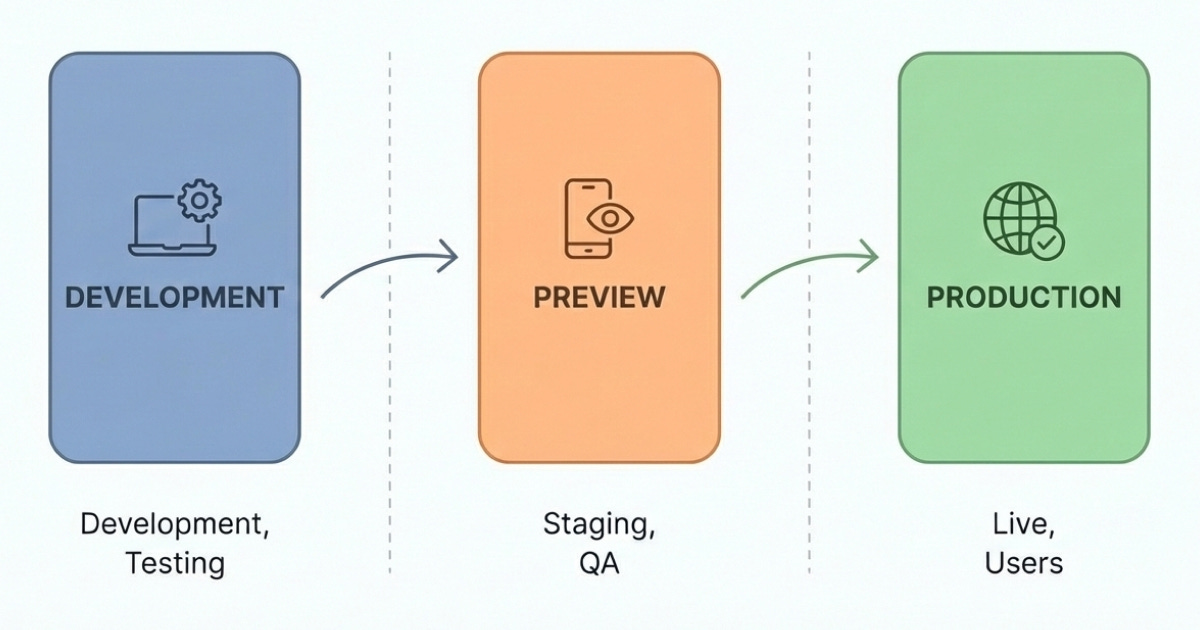
You are building one app but in reality, you’ll interact with 3 different “kind” of your app. Each kind has different purpose, from local development to production. To understand the difference, let’s see it from multiple angles: supports hot reload, config, and build output. We’ll use package.json and eas.json from React Native Ignite boilerplate for reference.
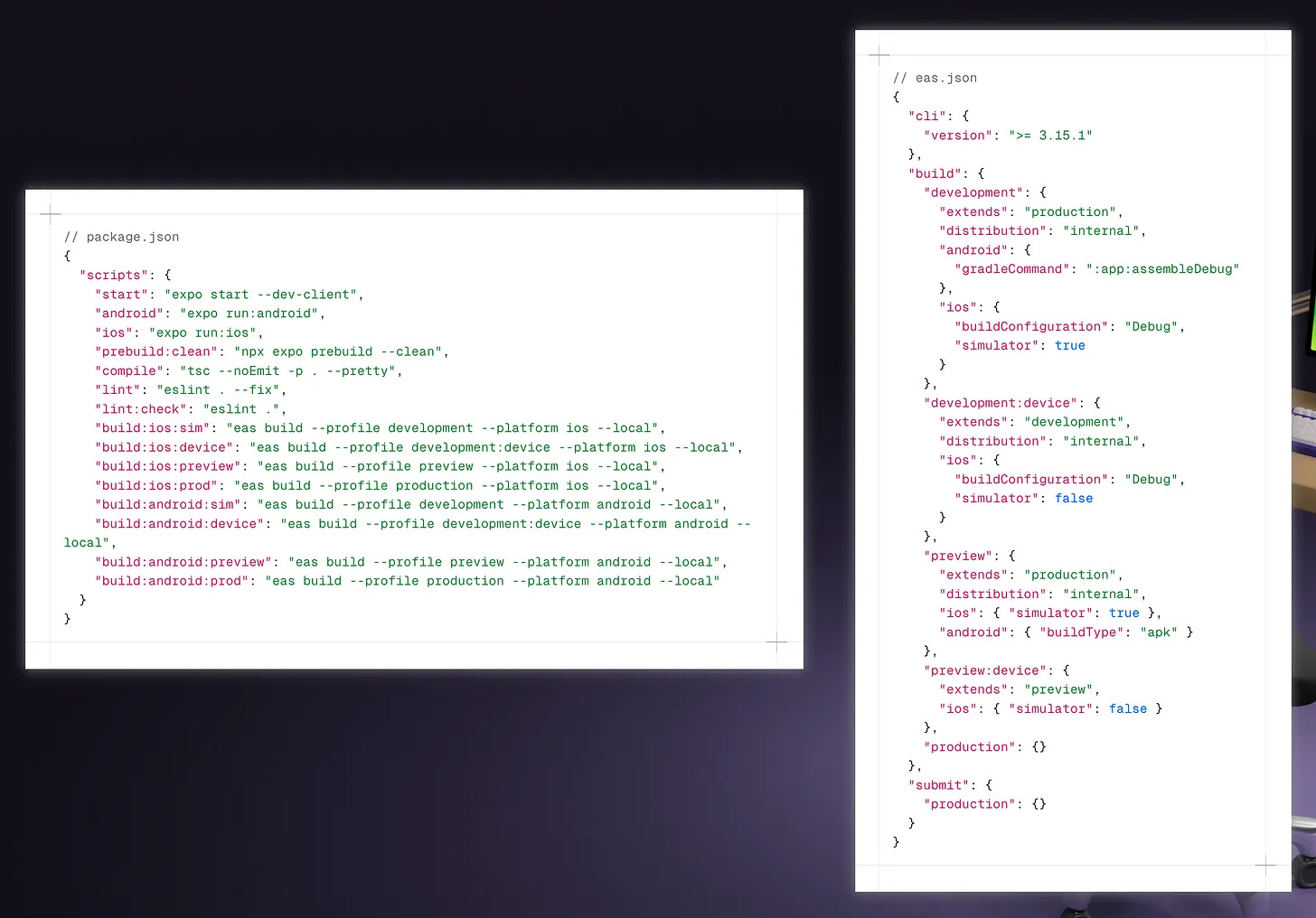
Development: supports hot reload, uses development config (i.e. connects to your local endpoints), and has no build output. This is what you get when running
expo run:iosorexpo run:android.
Use case: local development.
Alternatively, if you need to test the app in a real device, you can run thebuild:ios:deviceorbuild:android:devicescript which produces IPA/APK file that you can install in your device.
Use case: testing the app in real device, with development config and hot reload enabled.
Some features like push notification, camera, are not available in simulator and can only be tested in real devices. Hence the need for “development” build above.
Preview: no hot reload, uses production config (i.e. connects to your production endpoints), creates IPA/APK file. It’s similar like development app above except that it doesn’t need to connect to Expo (hence there’s no hot reload support). Command:
build:ios:previeworbuild:android:preview.
Use case: QA before release (e.g. install in multiple testers’ devices)Production: no hot reload, uses production config, creates IPA/APK file. This is the one that you use for the app store submission. Command:
build:ios:prodorbuild:android:prod.
Use case: submission to App Store or Play Store
When the app supports hot reload, it means it has to connect to Expo server in the same network. Which also means that you can’t use it for external testers.
With this knowledge, we can enhance our development workflow by customizing the app (e.g. the app name) based on the kind. This strategy is referred to as “app variants” in Expo (docs). Consider this snippet in Expo config (app.config.ts):
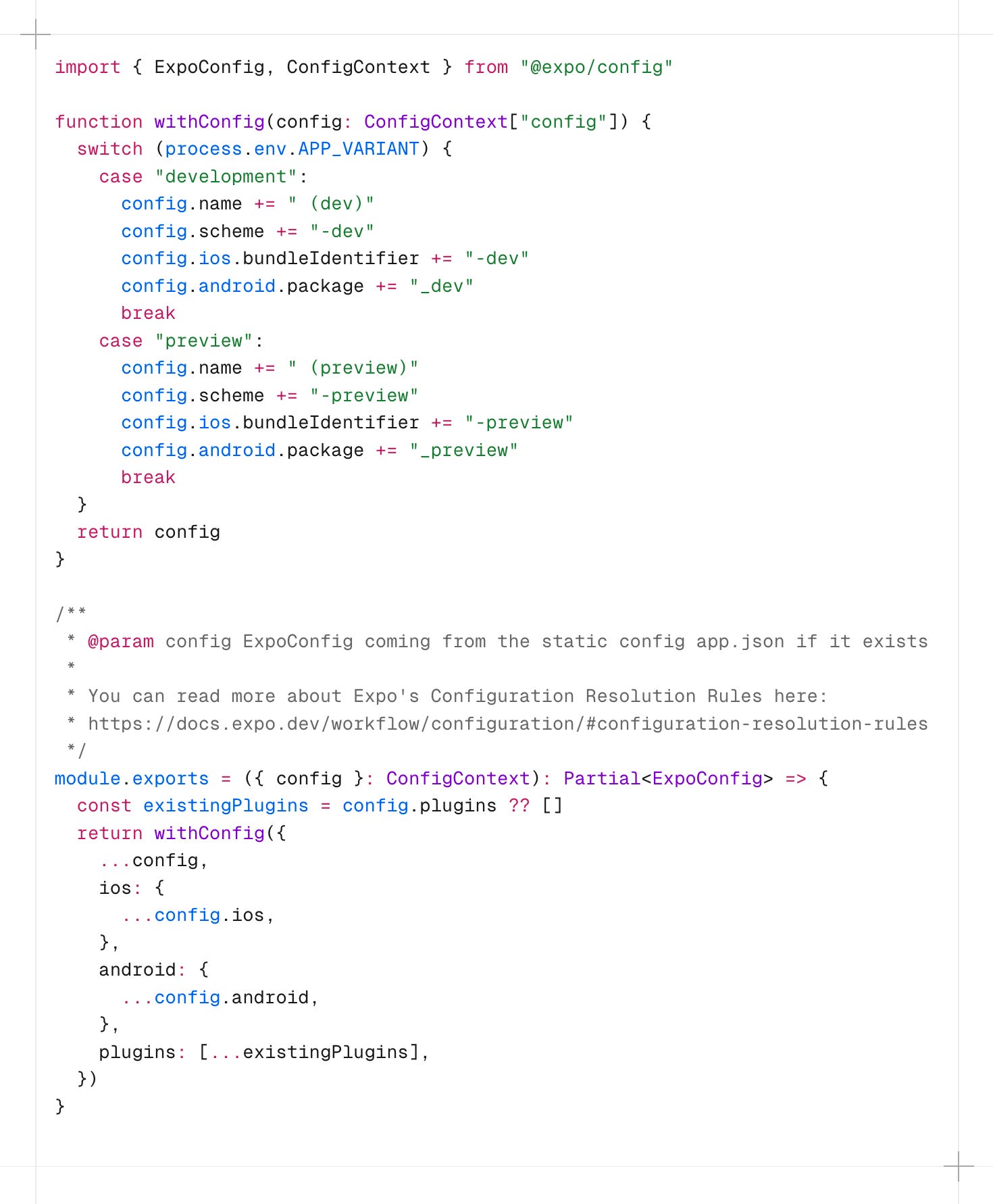
withConfig function to adjust Expo config based on app variant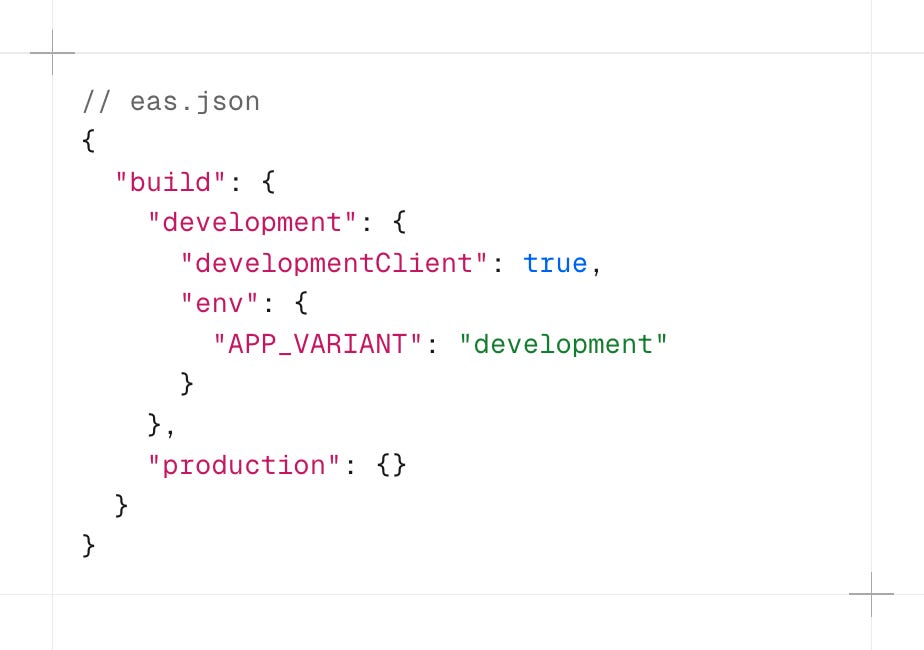
The idea is to customize the app name, e.g. by adding suffix, based on the APP_VARIANT environment variable. This way, we can install 3 different apps in simulator or real devices, for example:
“My App”: production app (e.g. downloaded from app store)
“My App (dev)”: app for local development
“My App (preview)”: app for testers (production build, connects to production endpoints, downloaded from secret link not from app store)
That’s it! Honestly, it was pretty overwhelming when I first try to figure this out. But writing this out has helped me understand it better.