


You have an idea for a mobile app. You started with the core functionality, but soon you realised that you’ll need to introduce the app’s offering to the users. Then you think of adding an onboarding screen.
You want to authenticate the users before using the core functionality, so you put a login screen in front. You then realised that you want to collect few extra info from the users to understand them better. Things like how they know about your app, their display name, etc. This info should be entered once, ideally right after they signed up.
Then comes the actual app screens like the home screen, settings, etc. Seems like the steps to the core functionality are long but they’re necessary. Dropping the users right into the log in screen and then to the home screen will not work optimally because they aren’t primed to understand what value the app gives. So here I’m sharing a flow that I think is versatile enough to be applicable for most apps.
The flow:
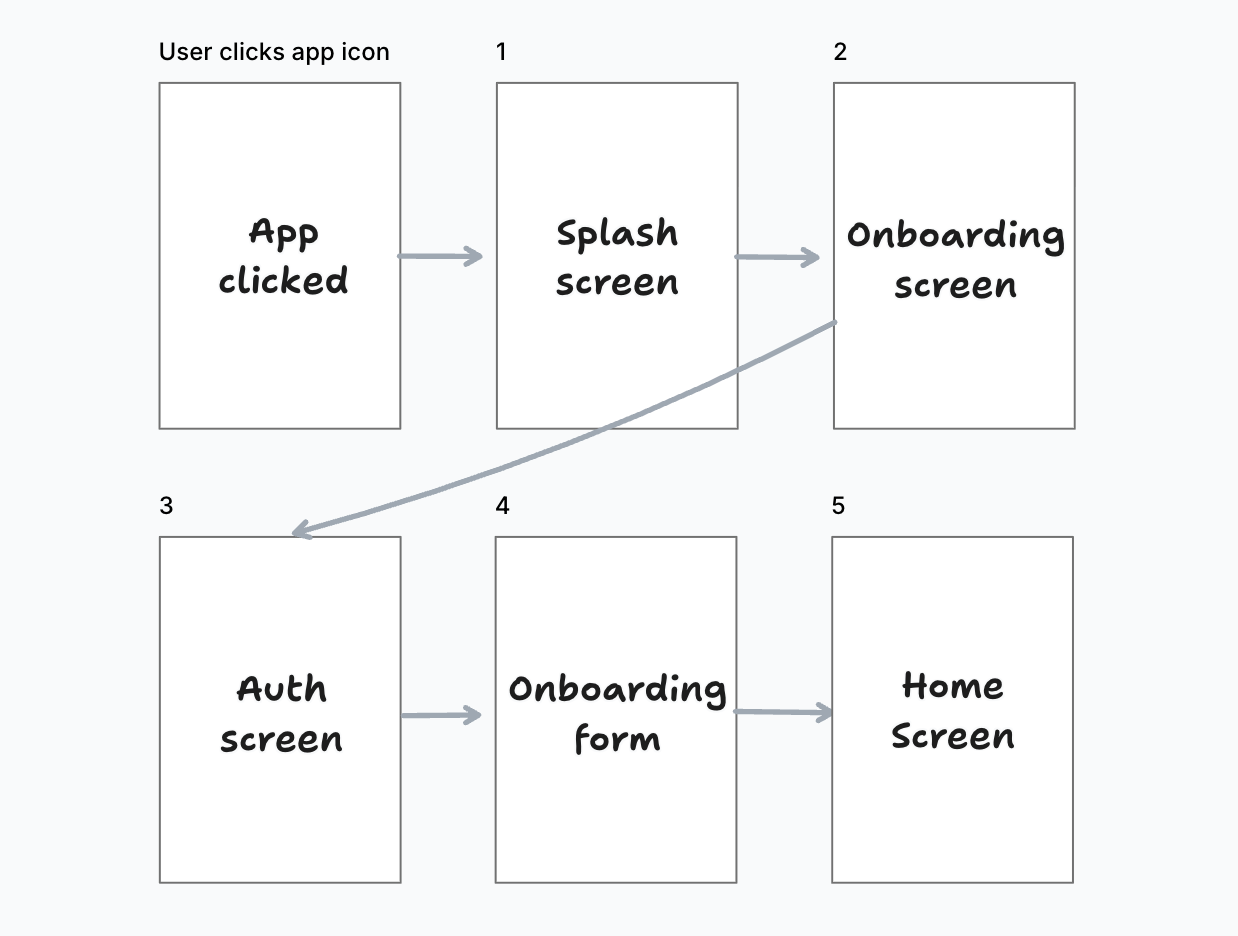
User opens the app. What the user sees about your app so far: the app icon and app name.
App shows the splash screen. From technical perspective, it’s a good place to wait for app initiation process (few seconds). From user’s perspective, it’s a good step to prime the user for the app’s experience.
App shows the onboarding screen. This is where you explain the app’s purpose in few steps. User will slides through the onboarding screens. Each screen can contain an image or animation, a title, and description to explain what users can get from the app. At the end of the onboarding screen, users can press the “Get Started” button which brings the to the next step.
The login screen (optional) and onboarding form. You can remove the login screen if your app doesn’t need authentication. The onboarding form is where you collect extra info like user’s display name, how they know about your app, referral code, etc.
Once the onboarding form is filled, user can navigate to the home screen. This is where they get the main value from the app. Be it a recipe app, marketplace, note taker, etc. A home screen can have a common structure (layout) of a screen with bottom tab bar. The bottom tabs consist of: home, some other main pages, then settings.
That’s the flow! It’s quite generic and can be applied in most apps. The goal is to prepare the users as best as possible so they know how to get the value (the aha! moment) by the time they see the home screen.
Demo
Here’s a preview of the flow in a demo app I created:
If you’re curious, here are the tools I use to create the app:
Ignite boilerplate: an open source Expo boilerplate from InfiniteRed. It provides dark mode, I18n including RTL, and more.
react-native-onboarding-swiper for the onboarding screens